How do I take supplier invoices over from NAV?
With the NAV incoming invoices and smart receiving option the program uses the workshop's own NAV technical user to fetch the invoices issued to the workshop from NAV Online Számla, and makes the goods receipt from the invoice's own data, without AI. The program only reads: it never sends invoices to NAV, and querying NAV is free.
Setting up the NAV technical user (once, the owner)
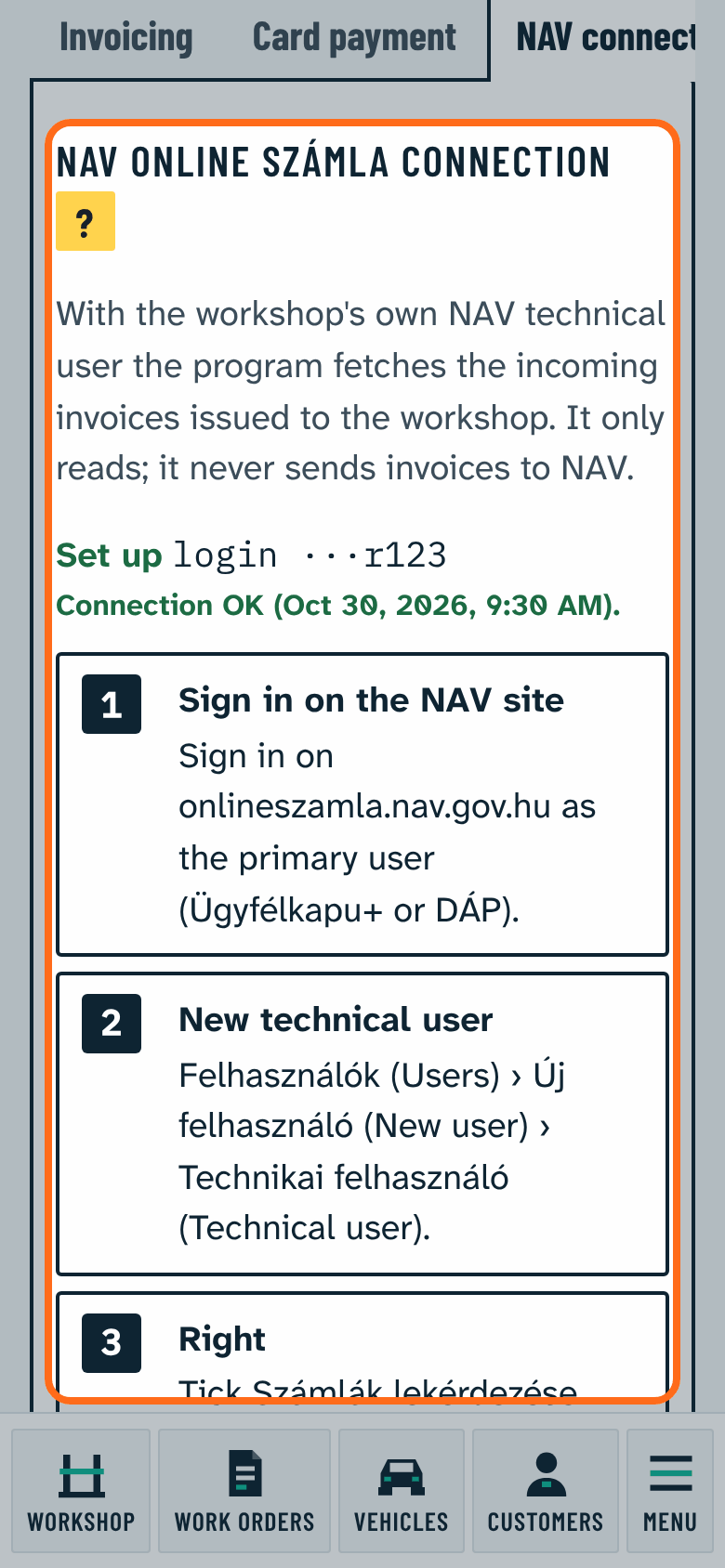
- Sign in on onlineszamla.nav.gov.hu as the primary user (Ügyfélkapu+ or DÁP).
- Felhasználók › Új felhasználó › Technikai felhasználó (Users, New user, Technical user).
- Tick the Számlák lekérdezése (query invoices) right. No other right is needed.
- Set a password and save.
- The Kulcsgenerálás (generate keys) button shows the XML signature key and the XML exchange key.
- In Garagevo open Settings › Invoicing, payment › NAV connection and copy the login, the password and the two keys.
- Press Save and check connection: the program says the connection works, or what NAV reported.
If you already have a technical user for Számlázz.hu or another invoicing program and it has the Számlák lekérdezése right, you can use it too. Számlázz.hu's public guide with a video: "Technical guide for NAV online invoicing data registration" (tudastar.szamlazz.hu; in the program the NAV connection tab links to it) (source: Számlázz.hu Tudástár).
The values are stored encrypted on the server; the program never shows them back, only the end of the login. Changing or removing them needs the second sign in step. Fill in the workshop's tax number in Workshop details.
The incoming invoices
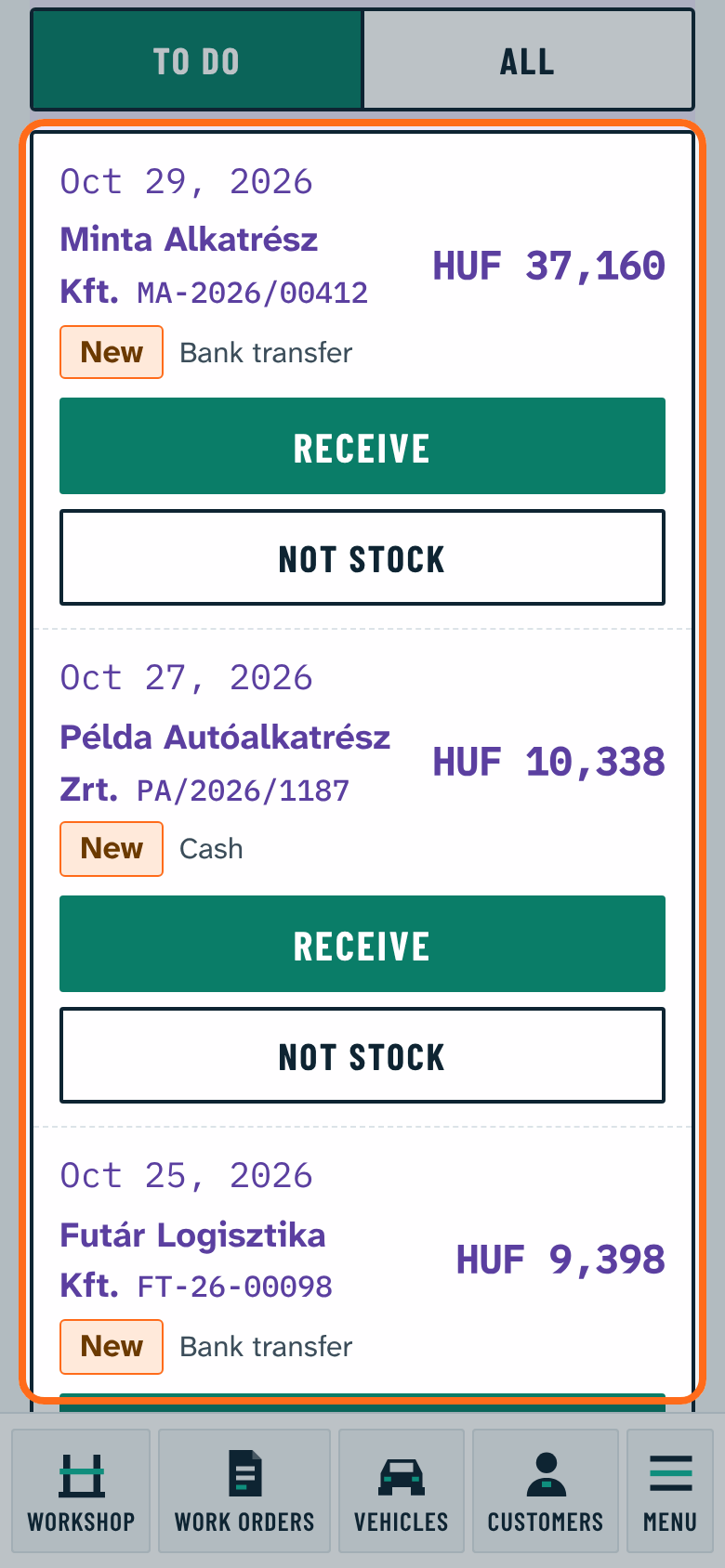
The program refreshes the Stock › Incoming (NAV) list every morning by itself; Refresh fetches the new ones any time (the first time the invoices of the last 30 days).
- Receive: makes the draft receipt. The supplier is found by its tax number, or added from the invoice's data. The lines are matched by the supplier's part number, the part number, the barcode and the matches remembered before; where nothing is found, New article or pick one.
- The line amount is the invoice's: net and VAT stay as on the invoice, the unit price is only derived from them. So the receipt's total equals the invoice's.
- Not stock: a transport, service or discount line is not put into stock. At booking the program remembers it for this supplier, the next invoice gets it by itself. A whole invoice can be marked not stock too (for example a utility bill).
- Ready to book: when every line is a match remembered before, one tap books the draft. The program never books by itself.