How do I close a work order with or without an invoice?
There are two ways to close, with no setup needed.
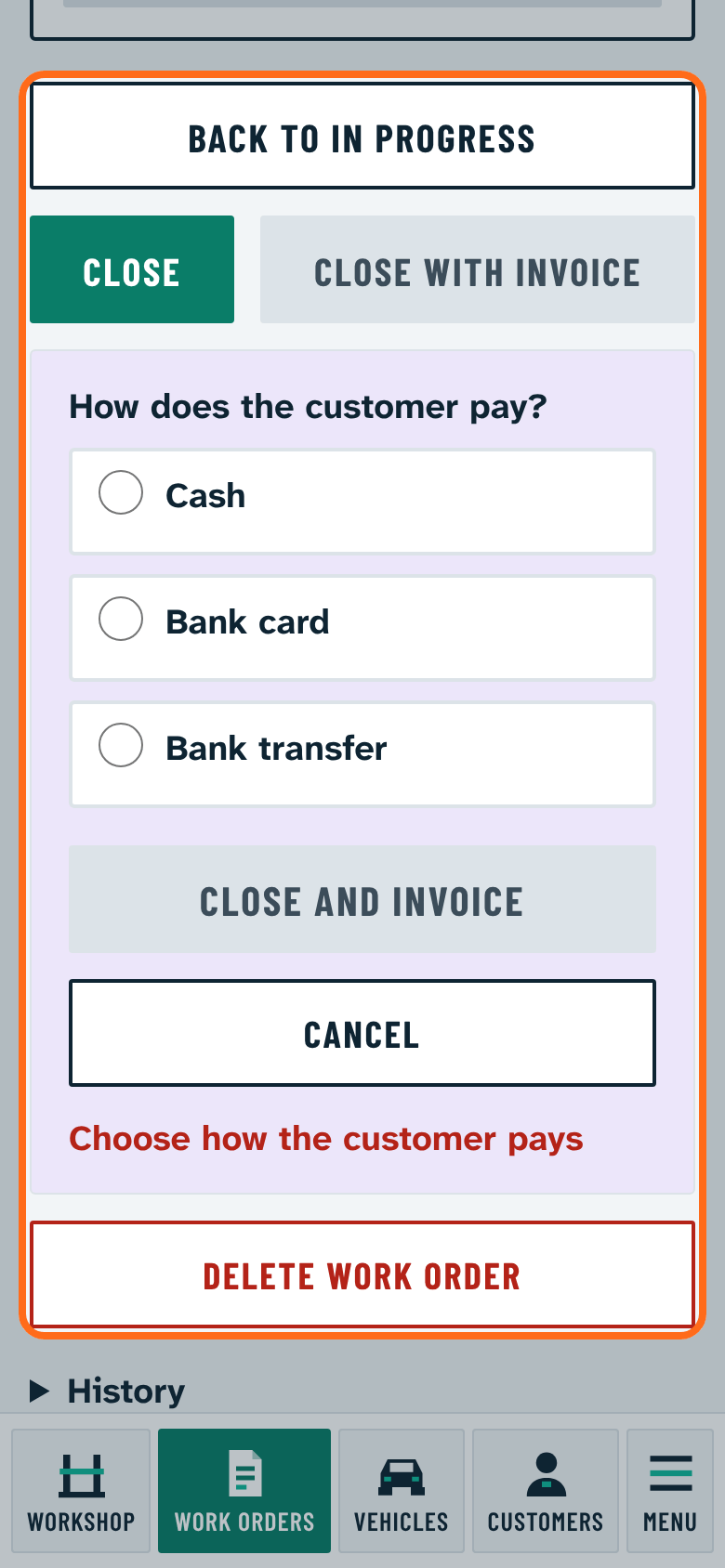
Close: only a closed work order is made, without an invoice or payment. Choose this if you invoice in another program or will issue the invoice later.
Close with invoice:
- Press Close with invoice.
- Choose how the customer pays: Cash, Bank card or Bank transfer. Until one is chosen, Close and invoice stays grey.
- Press Close and invoice. The invoice is made in the workshop's Számlázz.hu account and the customer receives it by e-mail. The invoice number and link show on the work order.
For this the owner must enter the Számla Agent key (How do I set up the Számlázz.hu key?) and the customer's address must be filled in. What is missing is shown next to the button.
Cash and card count as paid. One invoice can be made per work order. While a line waits for approval, the work order cannot be closed.
Cancelling invoice: if the invoice is wrong, the owner or an administrator can void it with the Cancel invoice button on the closed work order. Type the reason (it stays in the program only and is not printed on the cancelling invoice) and press Issue cancelling invoice. Számlázz.hu makes the cancelling invoice and sends it to the customer; the Cancelled: line on the work order shows its number. After that the work order can be reopened and a new invoice issued.