How do I invite a new colleague?
In Settings › Users, permissions, under Invite a new user, enter the e-mail address and the name, choose the role on the cards (Mechanic by default; each card says what it can reach), then press Invite.
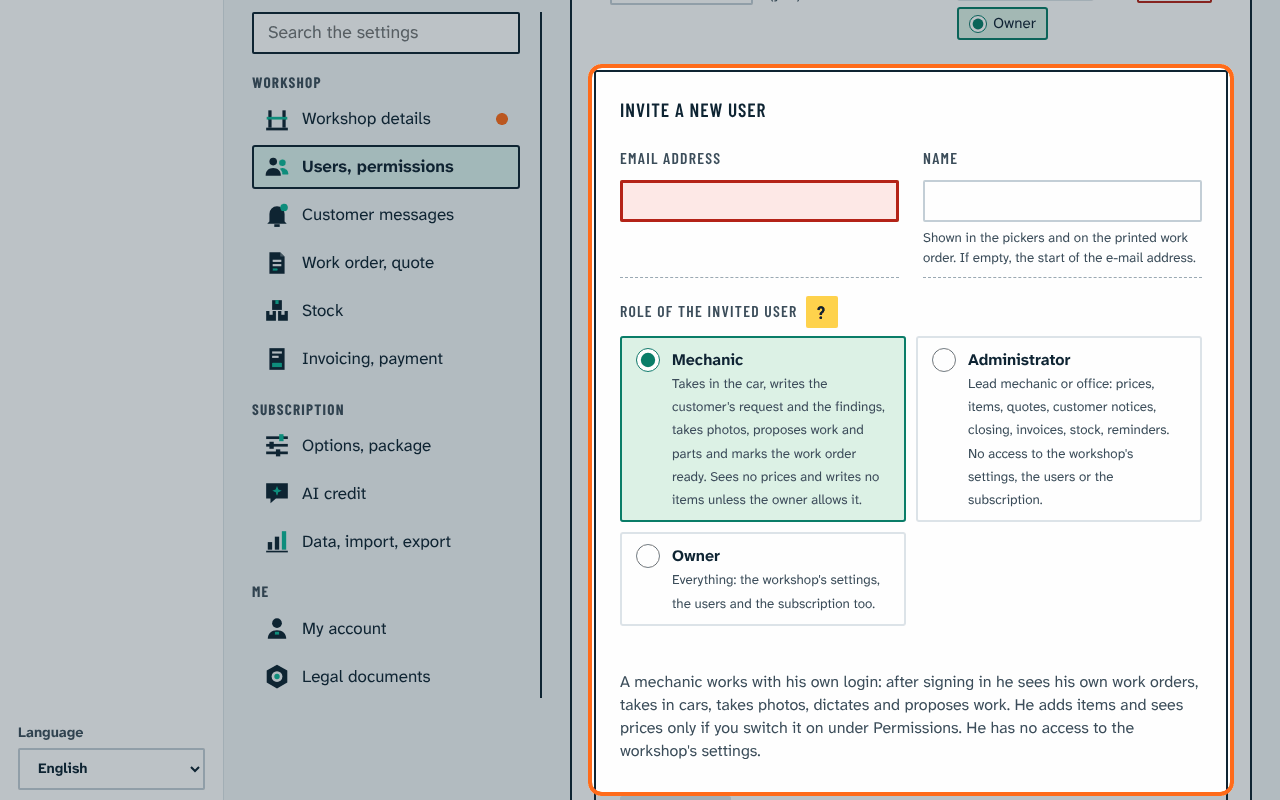
The new colleague receives an e-mail to set a password. If they already have an account, they are added to the workshop at once. The role can be changed in the list later; Remove ends their access. Inviting is done by the owner.
There are three roles. Mechanic: takes in the car, writes the findings, takes photos, proposes work and parts and marks the work order ready; he sees no prices and writes no items. Administrator (lead mechanic or office): turns proposals into items, sets prices, sends quotes and notices, closes, invoices, manages stock; no access to the workshop's settings, the users or the subscription. Owner: everything. Under Settings, Permissions the owner can let mechanics add items or see prices with two switches (both off by default).
The name shows in the mechanic pickers and on the printed work order ("Mechanic: …"); if empty, the start of the e-mail address. A mechanic works with his own sign in: after signing in he sees My work orders, the open work orders where he is the responsible mechanic or has a labour line.